Solo armadas
Last updated: September 20, 2026
Armadas are a mode like hunting or mining: you point a drydock at them and it works on its own, one armada at a time.
1. Set the drydock
In the Fleet tab, set the Mode of the drydock to Solo Armada and give it the system to work in.
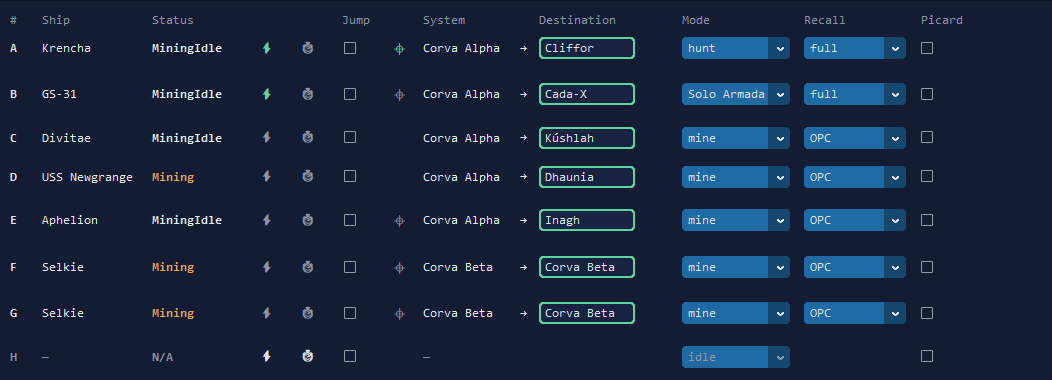
2. Choose what it engages
Each drydock picks its own targets from the column next to Jump: the rarity — all, Common, Uncommon, Rare, Epic or Legendary — and the variant, Charged or Static. Two drydocks can therefore work two different kinds of armada in the same run.
3. What the ship does
It looks for an armada that matches, engages it, and waits out the countdown before the fight starts. Engaging pays the launch cost the game asks for. If you turn the countdown speed-up on, it pays again each time, and the bot only counts what was really spent.
4. Between two armadas
Routine claims keep running between two armadas, so a drydock chaining armadas does not hold the rest of your run back. Repairs and recalls work as they do in hunting: see hostile hunting.
Quick answers
Do I need a licence to run armadas?
Yes, but the free licence is enough. Armadas are not part of what the bot does without any licence.
Which armadas will it take?
The ones that match the rarity and the variant you chose for that drydock: all of them, or only Common, Uncommon, Rare, Epic or Legendary, and Charged or Static.
Does engaging an armada cost me anything?
Engaging pays the launch cost the game asks for. Speeding the countdown up is optional, and it pays again each time you use it.
What about a group armada?
A group armada keeps its drydock for the quarter of an hour it takes to gather, so plan that ship out of your other jobs.